EasyMaker3D Cheat Sheet
Category |
Action Name /
User Guide Link
|
Radial Menu
Icon
|
Description |
Keyboard
Shortcut
|
Controller
Shortcut
|
|---|---|---|---|---|---|
Basics |
Copy / Copy |

|
Copy all selected models to the clipboard |
Ctrl-c |
|
Basics |
Cut / Cut |

|
Cut all selected models to the clipboard |
Ctrl-x |
|
Basics |
Delete / Delete |

|
Delete all selected models |
Backspace, Delete |
|
Basics |
Paste / Paste |

|
Paste all models from the clipboard |
Ctrl-v |
|
Basics |
PasteInto / Paste Into |

|
Paste all models from the clipboard as children of the selected model |
Shift-Ctrl-v |
|
Basics |
Quit / Quit |

|
Exit the application |
Ctrl-q |
|
Basics |
Redo / Redo |

|
Redo the last undone command |
Shift-Ctrl-z |
|
Basics |
Undo / Undo |

|
Undo the last command |
Ctrl-z |
|
Combination |
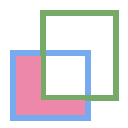
CombineCSGDifference / Combine CSG Difference |
|
Create a CSG Difference from selected objects |
||
Combination |
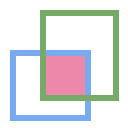
CombineCSGIntersection / Combine CSG Intersection |
|
Create a CSG Intersection from selected objects |
||
Combination |
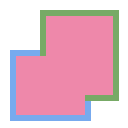
CombineCSGUnion / Combine CSG Union |
|
Create a CSG Union from selected objects |
||
Combination |
CombineHull / Combine Hull |

|
Create a model that is the convex hull of selected models |
||
Conversion |
ConvertBevel / Convert Bevel |
|
Convert selected models to beveled models |
||
Conversion |
ConvertClip / Convert Clip |

|
Convert selected models to clipped models |
||
Conversion |
ConvertMirror / Convert Mirror |

|
Convert selected models to mirrored models |
||
Conversion |
ConvertTwist / Convert Twist |

|
Convert selected models to twisted models |
||
Creation |
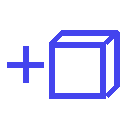
CreateBox / Create Box |
|
Create a primitive Box model |
||
Creation |
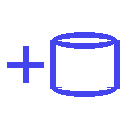
CreateCylinder / Create Cylinder |
|
Create a primitive Cylinder model |
||
Creation |
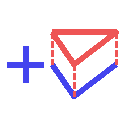
CreateExtruded / Create Extruded |
|
Create a model that is a linear extrusion |
||
Creation |
CreateImportedModel / Create Imported Model |

|
Import a model from a file |
Ctrl-i |
|
Creation |
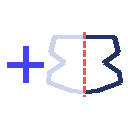
CreateRevSurf / Create Rev Surf |
|
Create a model that is a surface of revolution |
||
Creation |
CreateSphere / Create Sphere |

|
Create a primitive Sphere model |
||
Creation |
CreateText / Create Text |

|
Create a 3D Text model |
||
Creation |
CreateTorus / Create Torus |

|
Create a primitive Torus model |
||
Layout |
LinearLayout / Linear Layout |
|
Lay out the centers of the selected models along a line using the edge target |
||
Layout |
MoveToOrigin / Move To Origin |
|
Move the primary selection to the origin |
= |
|
Layout |
RadialLayout / Radial Layout |

|
Lay out selected models along a circular arc |
||
Layout |
ToggleAxisAligned / Toggle Axis Aligned |
|
TOGGLE: Transform models in local or global coordinates |
||
Layout |
ToggleEdgeTarget / Toggle Edge Target |

|
TOGGLE: Activate or deactivate the edge target |
Shift-Ctrl-e |
|
Layout |
TogglePointTarget / Toggle Point Target |

|
TOGGLE: Activate or deactivate the point target |
Shift-Ctrl-p |
|
Modification |
DecreaseComplexity / Decrease Complexity |

|
Decrease the complexity of the selected models by .05 |
, |
|
Modification |
IncreaseComplexity / Increase Complexity |

|
Increase the complexity of the selected models by .05 |
. |
|
Modification |
MoveNext / Move Next |

|
Move the selected model down in the order |
Shift-] |
|
Modification |
MovePrevious / Move Previous |

|
Move the selected model up in the order |
Shift-[ |
|
None |
None / None |

|
|||
Precision |
DecreasePrecision / Decrease Precision |
|
Decrease the current precision |
z |
R:Down, L:Down |
Precision |
IncreasePrecision / Increase Precision |
|
Increase the current precision |
x |
R:Up, L:Up |
Radial Menu |
ToggleLeftRadialMenu / Toggle Left Radial Menu |

|
TOGGLE: Show or hide the left radial menu |
Ctrl-l |
L:Menu |
Radial Menu |
ToggleRightRadialMenu / Toggle Right Radial Menu |

|
TOGGLE: Show or hide the right radial menu |
Ctrl-r |
R:Menu |
Selection |
SelectAll / Select All |

|
Select all top-level models |
Ctrl-a |
|
Selection |
SelectFirstChild / Select First Child |
|
Select the first child of the primary selection |
Ctrl-Down |
|
Selection |
SelectNextSibling / Select Next Sibling |
|
Select the next sibling of the primary selection |
Ctrl-Right |
|
Selection |
SelectNone / Select None |

|
Deselect all selected models |
Shift-Ctrl-a |
|
Selection |
SelectParent / Select Parent |
|
Select the parent of the primary selection |
Ctrl-Up |
|
Selection |
SelectPreviousSibling / Select Previous Sibling |
|
Select the previous sibling of the primary selection |
Ctrl-Left |
|
Session |
OpenHelpPanel / Open Help Panel |

|
Open the panel to access help |
Shift-/, F1 |
|
Session |
OpenInfoPanel / Open Info Panel |

|
Open the panel to show information about selected models |
Shift-Ctrl-i |
|
Session |
OpenSessionPanel / Open Session Panel |

|
Open the panel to save or open session files |
Ctrl-s |
|
Session |
OpenSettingsPanel / Open Settings Panel |

|
Edit application settings |
Ctrl-, |
|
Specialized |
ToggleSpecializedTool / Toggle Specialized Tool |

|
TOGGLE: Switch between the current general tool and the specialized tool for the selected models |
Space |
L:Center, R:Center |
Tool |
ColorTool / Color Tool |

|
Edit the color of the selected models |
||
Tool |
ComplexityTool / Complexity Tool |
|
Edit the complexity of the selected models |
||
Tool |
NameTool / Name Tool |

|
Edit the name of the selected model |
Ctrl-n |
|
Tool |
RotationTool / Rotation Tool |

|
Rotate the selected models (Modified-drag for in-place) |
||
Tool |
ScaleTool / Scale Tool |
|
Change the size of the selected models (Modified-drag for symmetric) |
||
Tool |
SwitchToNextTool / Switch To Next Tool |
|
Switch to the next general tool |
] |
L:Right, R:Right |
Tool |
SwitchToPreviousTool / Switch To Previous Tool |
|
Switch to the previous general tool |
[ |
R:Left, L:Left |
Tool |
TranslationTool / Translation Tool |

|
Change the position of the selected models |
||
Viewing |
HideSelected / Hide Selected |

|
Hide selected top-level models |
Ctrl-h |
|
Viewing |
ShowAll / Show All |

|
Show all hidden top-level models |
Shift-Ctrl-h |
|
Viewing |
ToggleBuildVolume / Toggle Build Volume |

|
TOGGLE: Show or hide the translucent build volume |
Ctrl-b |
|
Viewing |
ToggleInspector / Toggle Inspector |

|
TOGGLE: Open or close the Inspector for the current primary selection |
Ctrl-t |
|
Viewing |
ToggleShowEdges / Toggle Show Edges |
|
TOGGLE: Show or hide edges on all models |
Ctrl-e |